My role
I partnered with cross-functional teams to investigate how usability, UI clarity, and gameplay flow held up under the game's famously fast and chaotic combat. I turned raw user feedback and behavioral data into actionable insights that improved the player experience while preserving the creative vision.
Research objectives
- Are players overwhelmed during high-combat moments, and does the UI support decision-making?
- How well does the weapon switching system communicate options and timing?
- Does the HUD deliver vital information clearly, especially to new players?
Low-health warning visibility
UX problem
In early playtests, players often failed to react to critical health warnings in time, which led to unnecessary deaths. Despite visual cues like red flashing, many were so focused on the center of the screen that they simply didn't notice.
Observation
"I didn't even realize I was that low until I died."
Eye-tracking data confirmed it: player focus stayed tightly centered during combat, and peripheral HUD elements were often ignored. In fast-paced fights, subtle or corner-placed feedback was effectively invisible.


UX solution
We introduced a centralized, adaptive low-health warning: a semi-transparent "LOW HEALTH" alert near the crosshair, paired with a pulsing red vignette. This moved the warning into the player's natural gaze path.
Impact
- −16%player deaths in low-health scenarios
- 68%rated the alert "clear" or "very clear" (up from 39%)
- IntactDesigners noted it kept the intensity without sacrificing clarity
Weapon wheel comprehension
UX problem
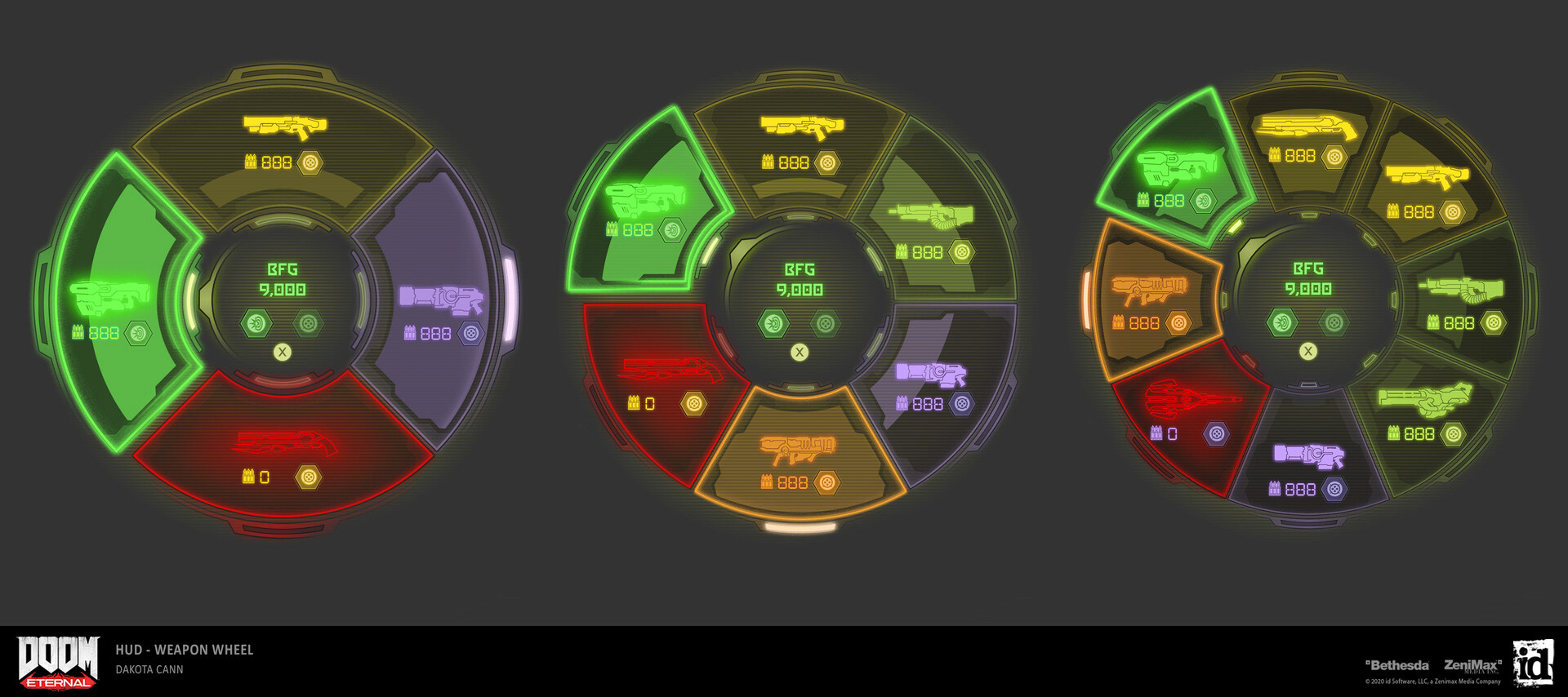
The radial weapon wheel was powerful but unintuitive for new players. Many struggled to pick the right weapon under pressure, either because of the layout or because they couldn't recall what each icon meant.
Observation
"I kept opening it and second-guessing. I didn't know what was what."
New players averaged 3.2 seconds per weapon switch, often hesitating or cancelling out of the wheel entirely.
UX solution
We added contextual tooltips that briefly label each weapon during a player's first few uses, and improved icon readability with higher contrast and a subtle hover pulse.
Impact
- 22% fasterAverage switch time dropped from 3.2s to 2.5s
- +41%perceived ease-of-use in post-test feedback
- ShippedTooltips were added to the full onboarding sequence
Reflection
DOOM Eternal taught me to balance usability within an intentionally overwhelming environment. I got better at translating player behavior into precise, respectful suggestions that honored the vision while improving clarity, pacing, and onboarding.